01 / INJECTIONWeekly
Keep shot day visible.
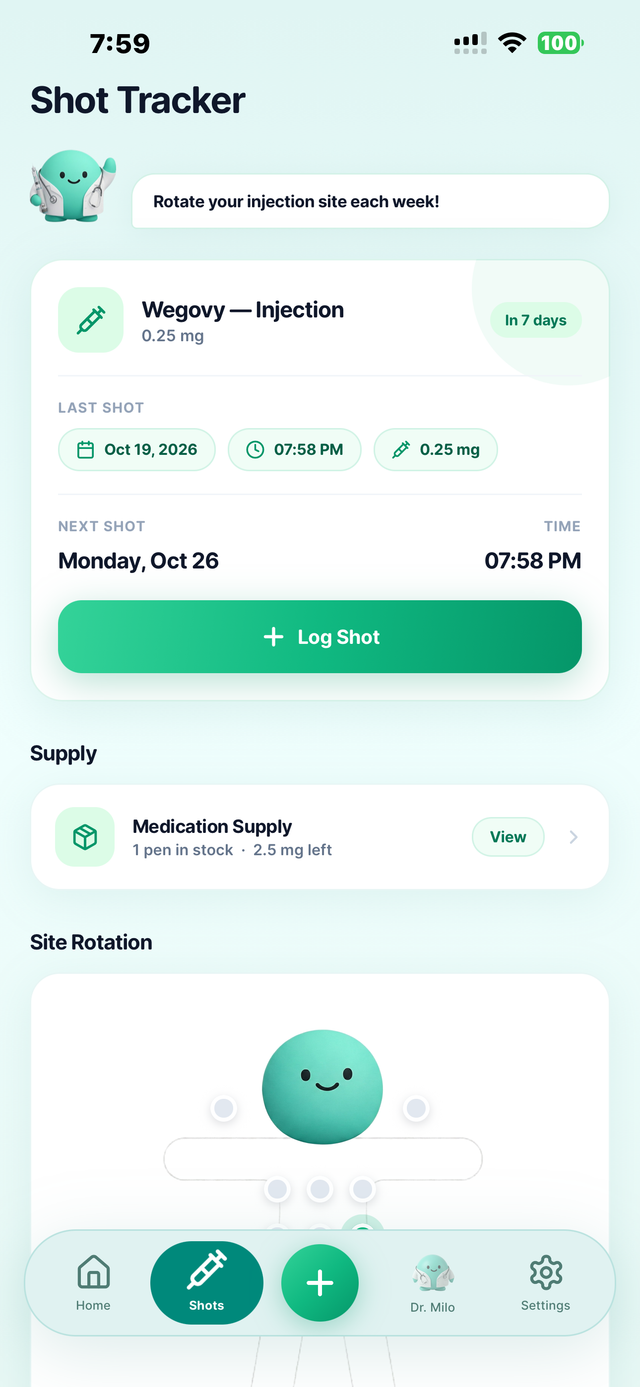
Review the last injection you entered and the next planned date. When you take a shot, record the actual date, time, dose and injection site.
A planned date is a reminder, not a completed injection.



Built by GLP-1 users · For GLP-1 users
For the weekly injection or daily tablet, keep the dose you actually took, how you felt and your progress in one personal record.
GLP Buddy keeps Wegovy shot and pill routines distinct. Track your prescribed form on iPhone or Android, with weight and symptom notes alongside it.
The short answer
GLP Buddy is a Wegovy tracker for recording a prescribed weekly injection or daily tablet routine. Log the dose you actually took, then review your dates, weight entries and symptom notes in one place. Injection records can include the site used; tablet records use a daily history instead.
Wegovy contains semaglutide. The U.S. prescribing information describes both an injection and tablets, each with its own schedule and instructions. Your prescription and local product information decide which one applies to you, not this website or an app.
To compare the app's broader medication options, see the GLP-1 tracker overview.
Same brand, different rhythm
The two forms need different records. Choose the one that matches the medicine you were prescribed.
Review the last injection you entered and the next planned date. When you take a shot, record the actual date, time, dose and injection site.
A planned date is a reminder, not a completed injection.
Use the pill-specific view and seven-day adherence history to record the prescribed strength and each day you actually took a tablet.
A pill entry has no injection site or weekly shot countdown. Explore the oral Wegovy tracker for the daily tablet routine and morning-specific questions.
Tablet and injection strengths are not interchangeable milligram for milligram. Do not use a tracker to convert between forms or set a switching plan. Check the Wegovy label and speak with your prescriber or pharmacist.
Useful boundaries
A clear journal and correct medication instructions do different jobs. Keep both in view.
Beyond the medication entry
Weight and symptom entries add context for your own review and conversations with a clinician.
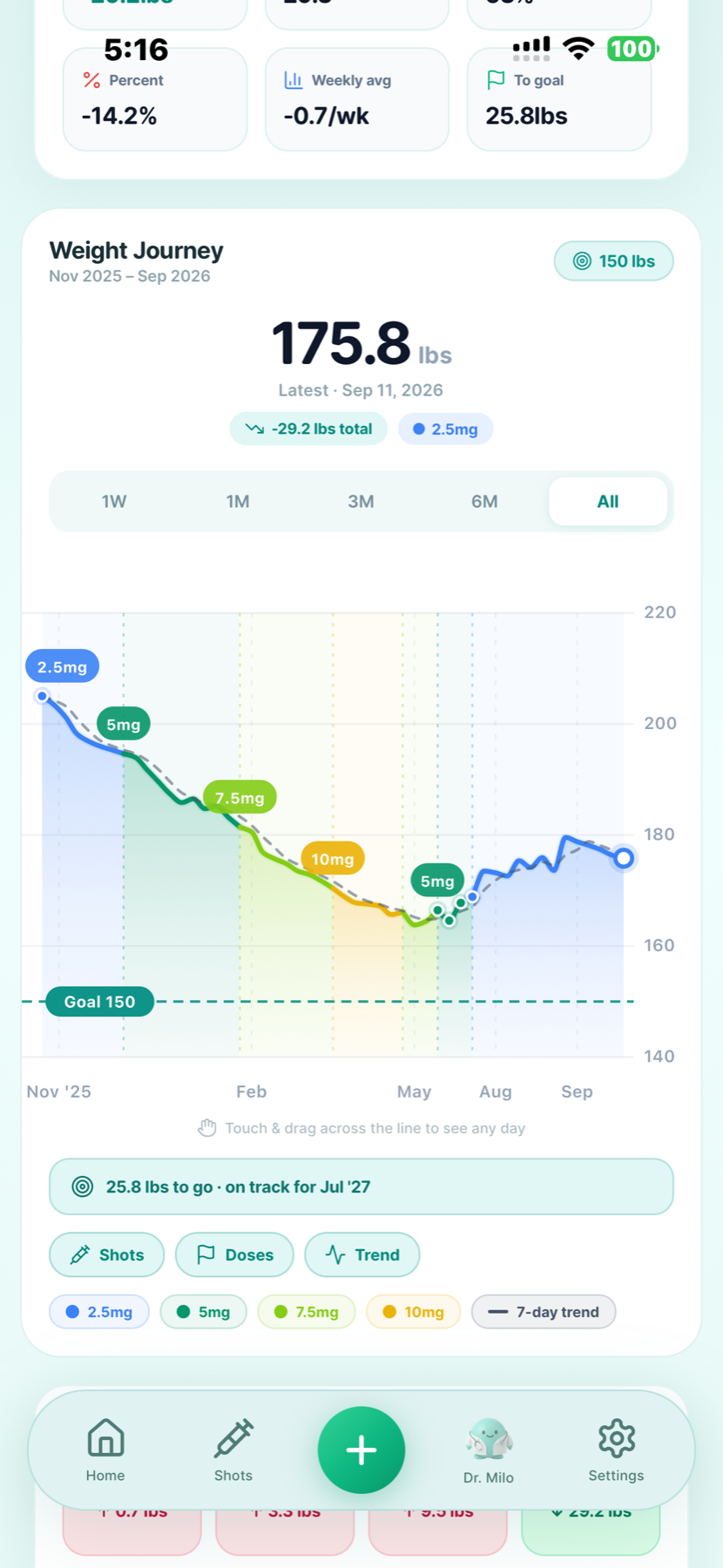
Keep actual weigh-ins together and review a longer trend. A chart can help you describe a change, but it does not diagnose a plateau or determine your next dose.
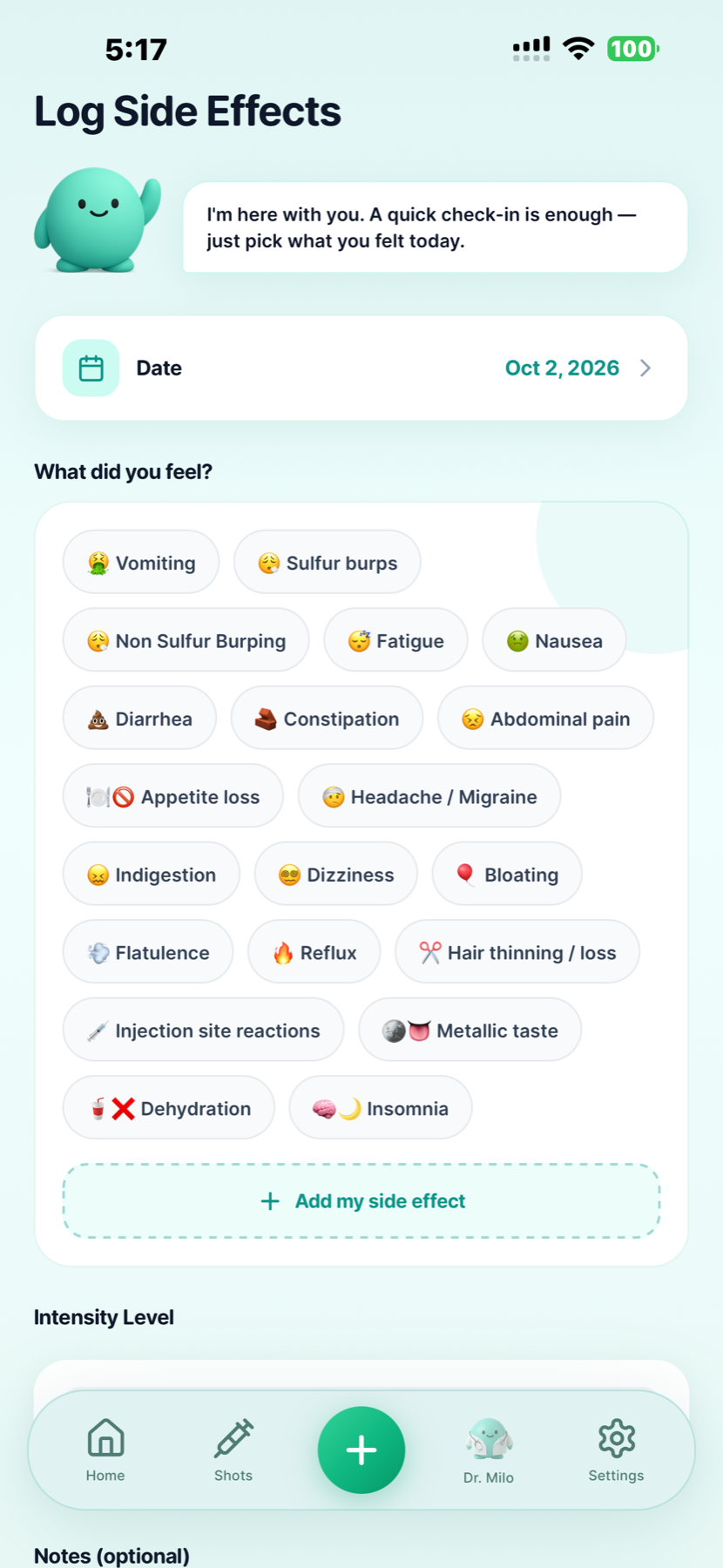
Record nausea, fatigue or another symptom on the day you experienced it, with intensity and optional notes. Your care team can interpret what needs attention.
The screenshots show general GLP Buddy features, not a Wegovy-specific claim. Learn more about recording GLP-1 side effects .
Use the record alongside care
Wegovy is a prescription medicine with important warnings and product-specific directions. The U.S. prescribing information covers approved uses and the different injection and tablet presentations. Availability, labeling and indications can differ outside the United States. Read the current U.S. label.
GLP Buddy does not diagnose a condition, prescribe Wegovy, monitor blood tests or establish why weight or appetite changed. A symptom logged near a dose does not prove causation. Bring questions about treatment response, persistent side effects or a changed prescription to your care team.
Wegovy tracking questions
Yes. GLP Buddy supports a weekly injection record and a separate daily tablet record for Wegovy. Select the form on your prescription. A shot date and a tablet entry should not be treated as the same kind of dose.
Log the injection that actually happened, including the date, time, prescribed dose and site. Review earlier site entries and your next planned shot day. A planned date is not proof that a shot was taken.
Use the daily tablet routine to record the prescribed strength and the day you actually took it. GLP Buddy has pill-specific wording and a seven-day adherence history. A tablet entry has no injection site or weekly shot countdown.
No. Use the instructions for your exact prescription. The U.S. Wegovy label says to take the tablet in the morning on an empty stomach with water and wait at least 30 minutes before food, other drinks or oral medicines. Logging a pill does not verify how it was taken.
No. The U.S. label describes different strengths and schedules for Wegovy tablets and injection. Do not convert one form into the other based on the number in an app. Any switch needs guidance from your prescriber or pharmacist.
Keep your record accurate, then consult the instructions for the form you use and your care team when needed. The U.S. label has different missed-dose directions for tablets and injection. GLP Buddy does not decide whether to take, skip or make up a dose.
Yes. Record your weight and review the trend over time in GLP Buddy. A single reading can vary, so the chart is a journal of measurements, not a clinical assessment of treatment response.
Yes. Add the symptom, date, intensity and notes if useful, then review those entries alongside your medication history. Timing alone cannot prove that Wegovy caused a symptom. Seek medical advice for concerning or persistent symptoms.
No. It is a model based on logged information, not a blood test or an individual clinical measurement. Do not use an estimated curve to change your prescription or decide whether a dose is due.
Find GLP Buddy through the official App Store and Google Play links on this page. The store listing for your phone shows current pricing, trial availability and included features.
Medication references checked . Product descriptions reflect existing GLP Buddy features. Wegovy® belongs to its trademark owner; GLP Buddy is not affiliated with or endorsed by Novo Nordisk.
Use the form you were prescribed, with everyday context nearby.

Choose the store for your phone.