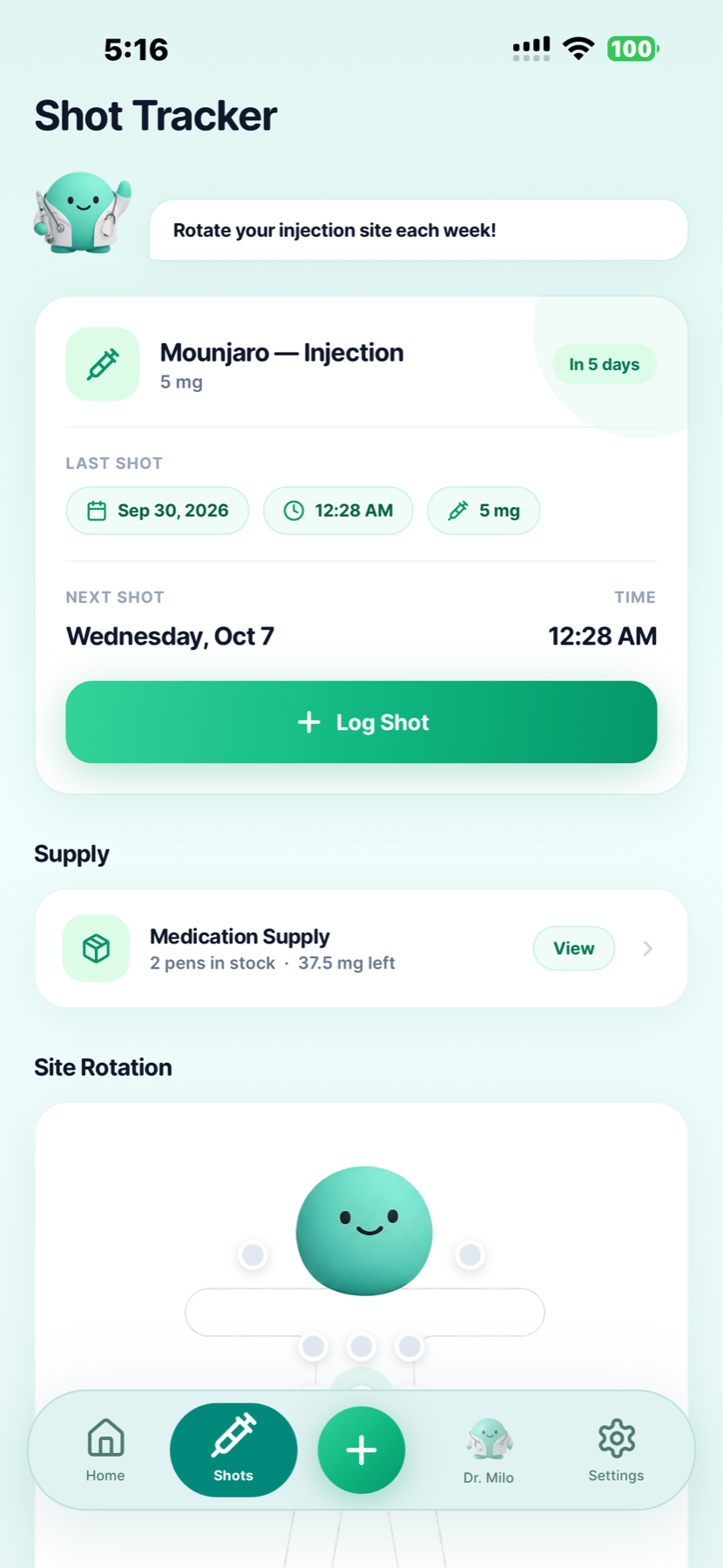
Medication records
Keep your injection or daily pill history available when reviewing a symptom entry. The injection screen shown here records the date, time and amount of a shot.



Built by GLP-1 users · For GLP-1 users
Keep a dated record of what you felt, how intense it was and the details you want to remember.
GLP Buddy brings symptom check-ins together with your injections or daily pills, weight and everyday logs. Available for iPhone and Android.
For personal tracking. Not medical advice, diagnosis or treatment.
A place for your check-ins
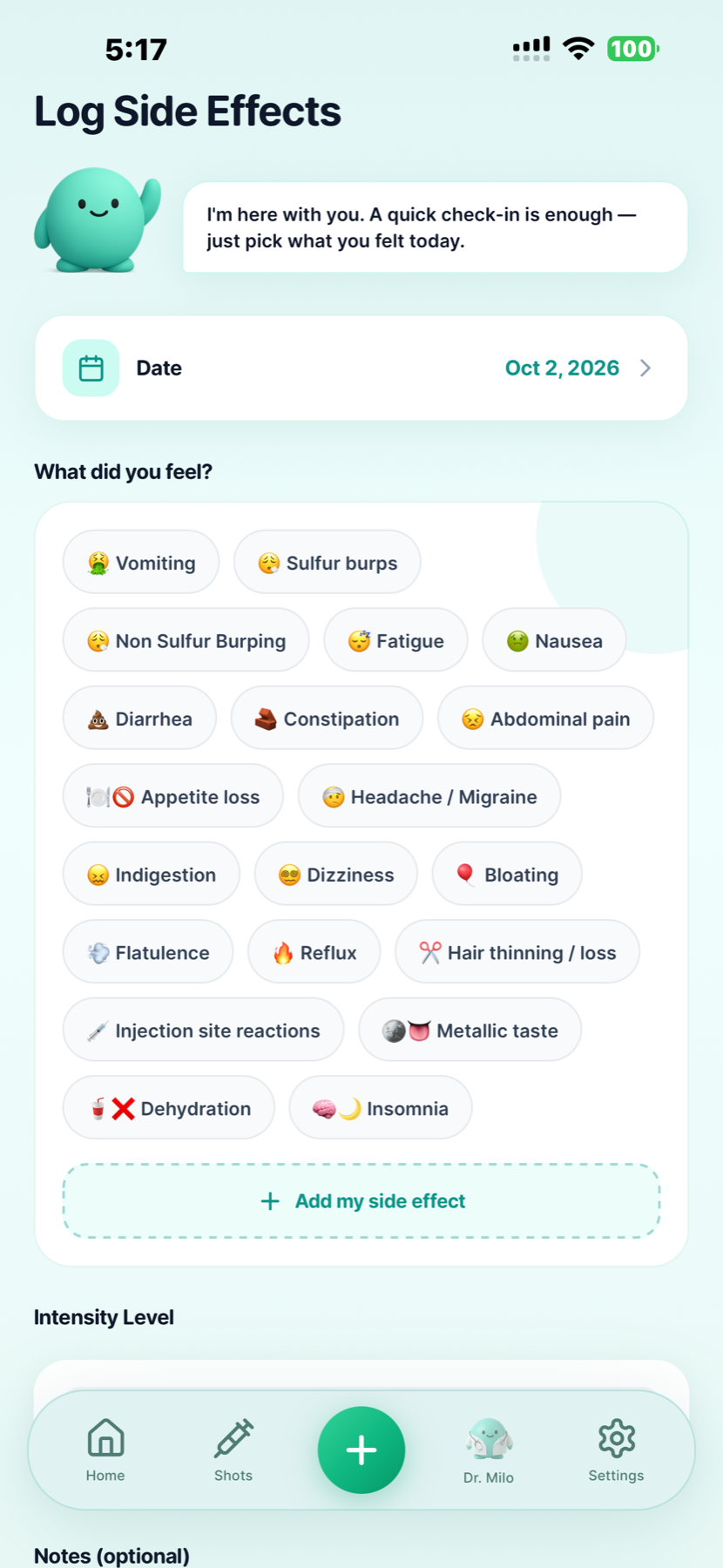
GLP Buddy is a GLP-1 side effects tracker for recording symptoms, intensity and optional notes. Your check-ins sit alongside dose history, weight progress and other daily records, giving you a journal to review over time.
Choose a symptom from the app or add your own. You do not need to know what caused it before making an entry. A log describes your experience; it cannot establish that a medication caused a symptom.
These are examples of selectable entries, not a complete list of medication risks. The app also includes other symptoms and a custom entry option.
A simple check-in
A few specific details can make a past entry easier to understand.
Open the side effect log, choose the date and select what you felt. Add a custom symptom when the available options do not describe your experience.
Use the intensity selection to describe how it felt to you. Add optional notes about when you noticed it or how it affected your day. A personal intensity rating does not assess medical urgency.
Look back at your symptoms, injection or pill history and weekly progress report. Keep questions you want to discuss with your healthcare team, without changing treatment based on an app log.
More context for your journal
A dated record helps you explain what happened and when. A chart cannot tell you why it happened.
Keep your injection or daily pill history available when reviewing a symptom entry. The injection screen shown here records the date, time and amount of a shot.
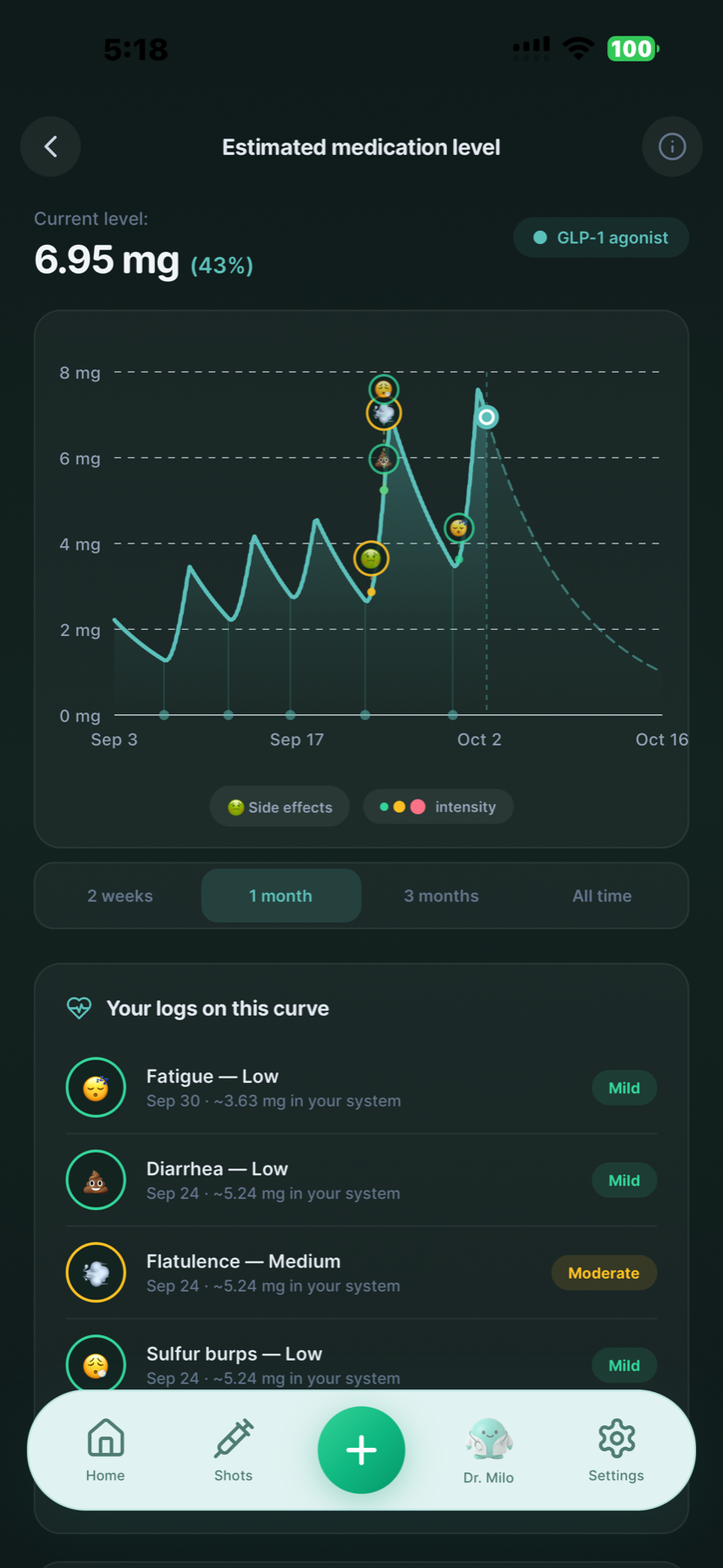
View logged symptoms alongside an estimated medication curve. This injection example is not a measured drug level, proof of a side effect's cause or a guide to choosing a dose.
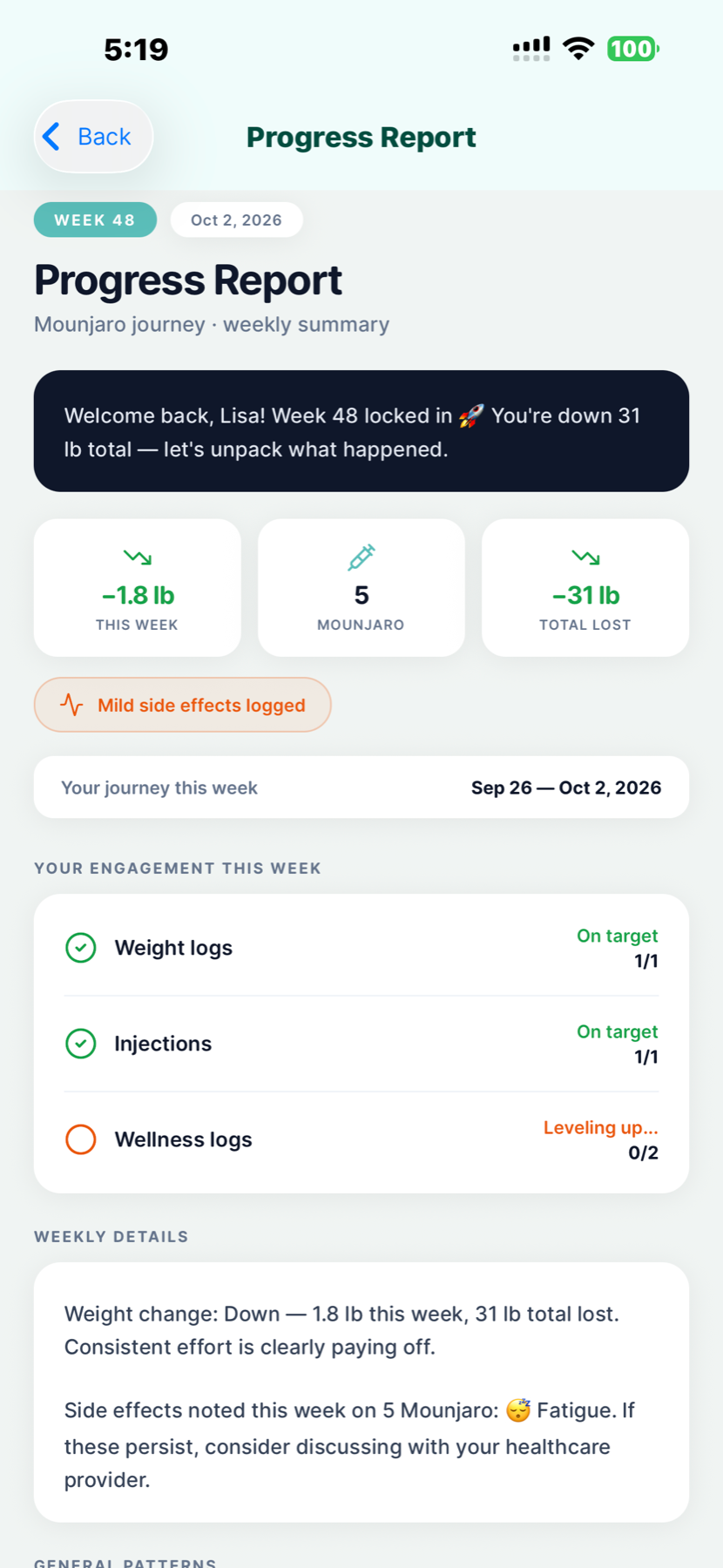
Review a progress report with your weight, medication records and logged side effects. Use the app's records to prepare questions for an appointment.
You can also log meals, water, mood, hunger and food noise. Explore the full GLP-1 tracker
For your medication routine
GLP Buddy supports medication records for both injection and oral routines. Your healthcare team should guide medication choices, dosing and any changes to treatment.
See the supported medication listTracking is not a medical assessment
MedlinePlus lists nausea, vomiting, diarrhea, constipation and stomach symptoms among possible effects of semaglutide and tirzepatide. Risks differ by medicine and formulation. Read the guide for your exact product and ask your clinician about symptoms that are severe or do not settle.
Sources: semaglutide injection, tirzepatide injection and oral semaglutide.
Good to know
A GLP-1 side effects tracker is a journal for recording symptoms during your medication journey. GLP Buddy lets you log what you felt, the date, intensity and optional notes, alongside your injection or daily pill history. It records your experience, not a diagnosis.
Choose from entries such as nausea, vomiting, constipation, diarrhea, fatigue, reflux, bloating and injection site reactions. You can also add your own symptom. A symptom appearing in the app does not mean your medication caused it.
Yes. GLP Buddy supports those injection routines and keeps a symptom journal alongside your medication records. It also includes retatrutide logging. Retatrutide remains investigational and is available only through Lilly's clinical trials; it has not been approved by any regulatory agency. Read Lilly's retatrutide information.
Yes. You can keep symptom check-ins alongside daily pill records for Rybelsus®, Wegovy® tablets, Ozempic® tablets and Foundayo®. Follow the instructions for your exact medication and formulation. See medications supported by GLP Buddy.
Record how the symptom felt to you using the app's intensity selection, then add a note if you want to explain the effect on your day. Your personal rating is useful context, but it is not a clinical assessment or a measure of medical urgency.
No. The medication chart is an estimate, not a blood test or a causal explanation. Looking at symptoms alongside dose records can help you prepare questions, but only your healthcare team can assess possible causes and treatment changes.
Yes. Review your symptom entries, dose history, weight chart and weekly progress report before your visit. Use your records to explain dates, intensity and what you noticed. GLP Buddy does not replace a clinician's assessment.
See the official App Store or Google Play listing for current pricing, trial availability and included features. You can explore the currently published browser calculators on our tools page.
No. GLP Buddy does not diagnose symptoms, assess urgency or recommend treatment. Do not wait for an app log or chart before seeking help. Read the safety guidance on this page and contact your healthcare team about symptoms that concern you.
Updated . App features are described using GLP Buddy's product information and the actual app screens shown here. Medical context is based on the sources below. This page is for product information and general education, not medical advice.
For data collection and use, read the GLP Buddy privacy policy and your app store's disclosures.
Start your symptom journal with GLP Buddy.

Scan to choose your store and download GLP Buddy.