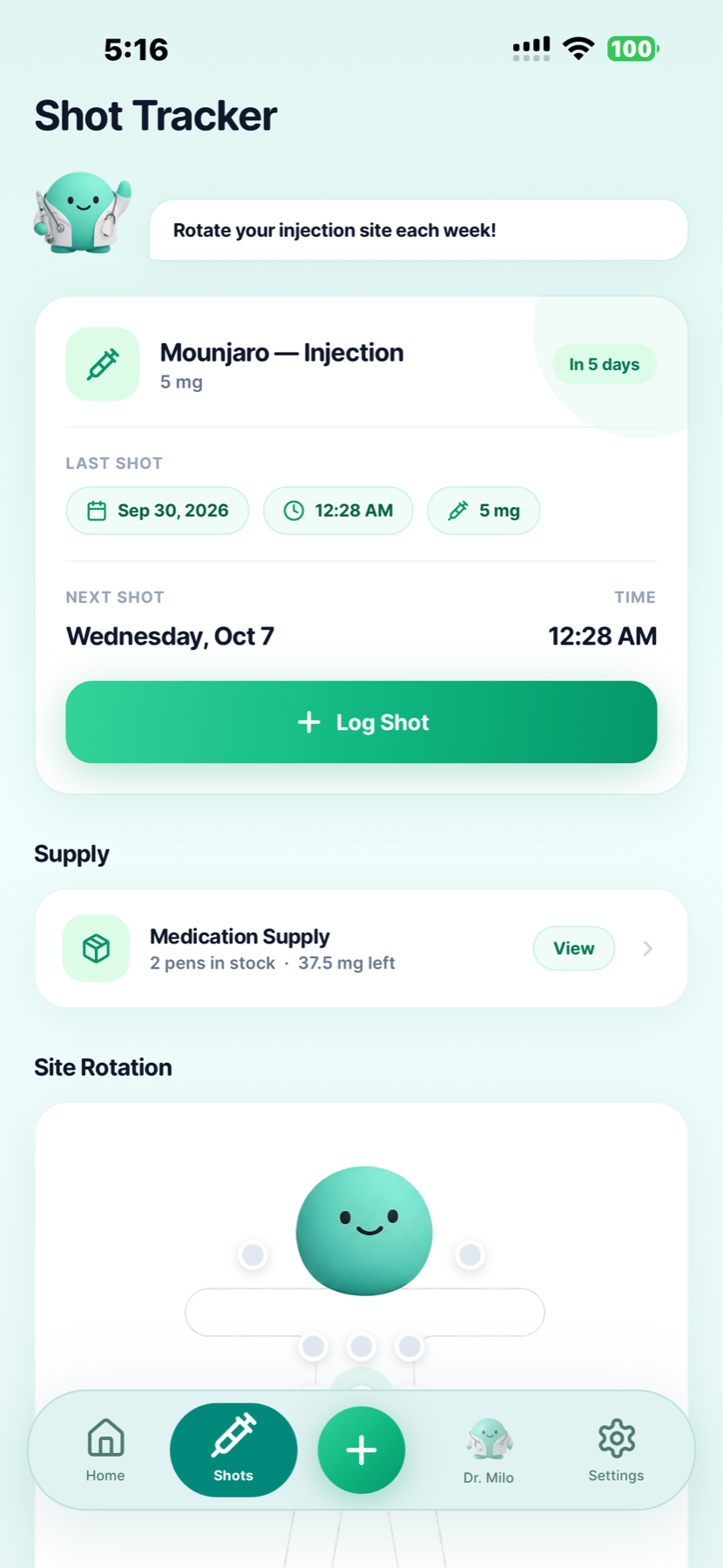
Shots, reminders & injection sites
Keep the date, time and amount of each injection together. See your next scheduled shot, use reminders, and record injection sites so your history is easy to check.


Built by GLP-1 users · For GLP-1 users
Your last shot or daily pill. Your weight trend. The meal you logged and how you felt afterward. GLP Buddy gives all those details a place to live.
Track injections such as Mounjaro® and Zepbound®, or pills such as Rybelsus® and Foundayo®. GLP Buddy is available for iPhone and Android.
A place for the details
A GLP-1 tracker is an app for recording your medication routine and the everyday details around it: injections or daily pills, weight, meals and how you feel. Rather than relying on memory, you build a dated record you can return to.
GLP Buddy brings those records together. Check when you logged your last injection or pill, see your weight chart, or look back at symptoms from a particular week. The medication view adapts to your treatment: a weekly cycle for injections or a daily dose history for pills.
Inside GLP Buddy
Whether you take a weekly injection or a daily pill, keep the details you want to look back on in the same app.
Keep the date, time and amount of each injection together. See your next scheduled shot, use reminders, and record injection sites so your history is easy to check.
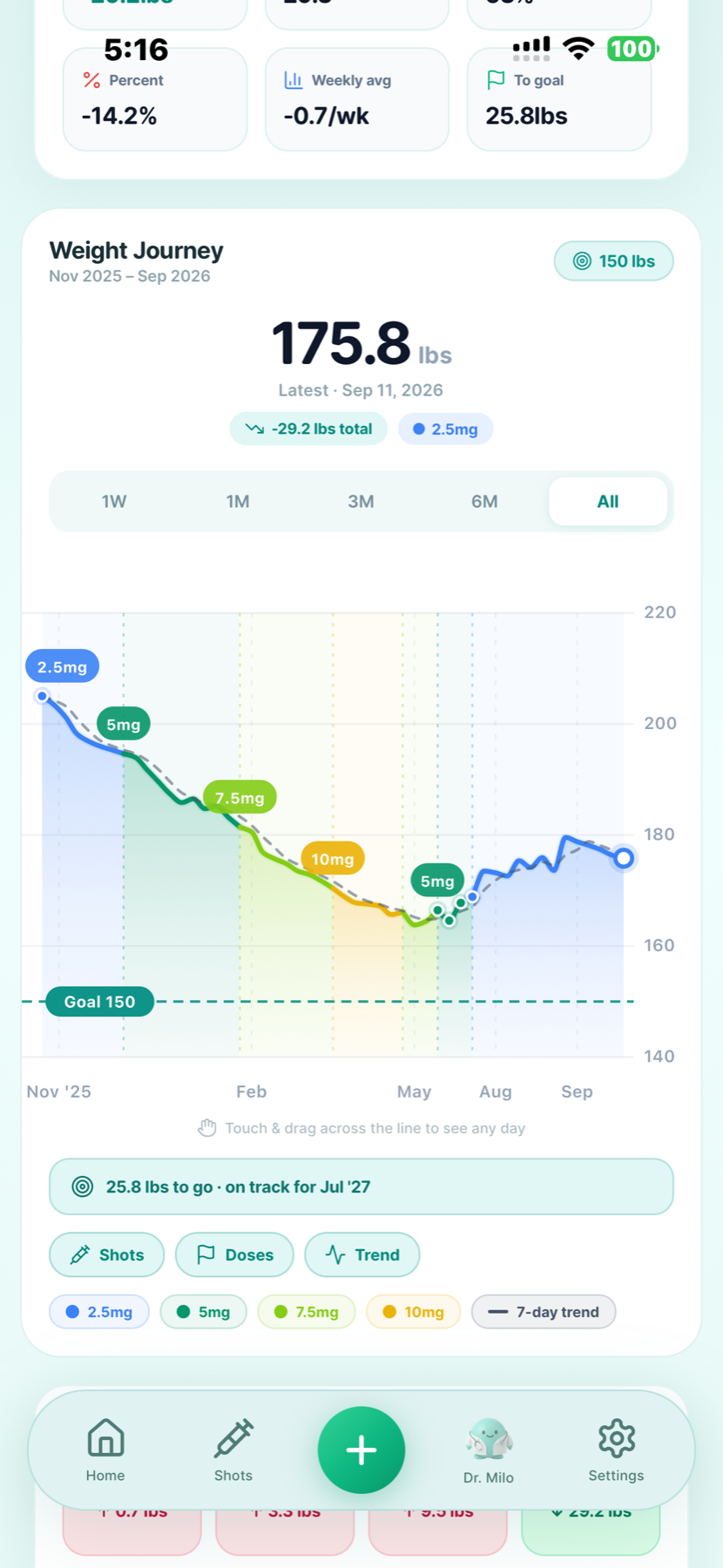
A weigh-in is one entry in a longer story. Keep dated measurements and review your weight chart across weeks and months, with dose labels alongside your progress.
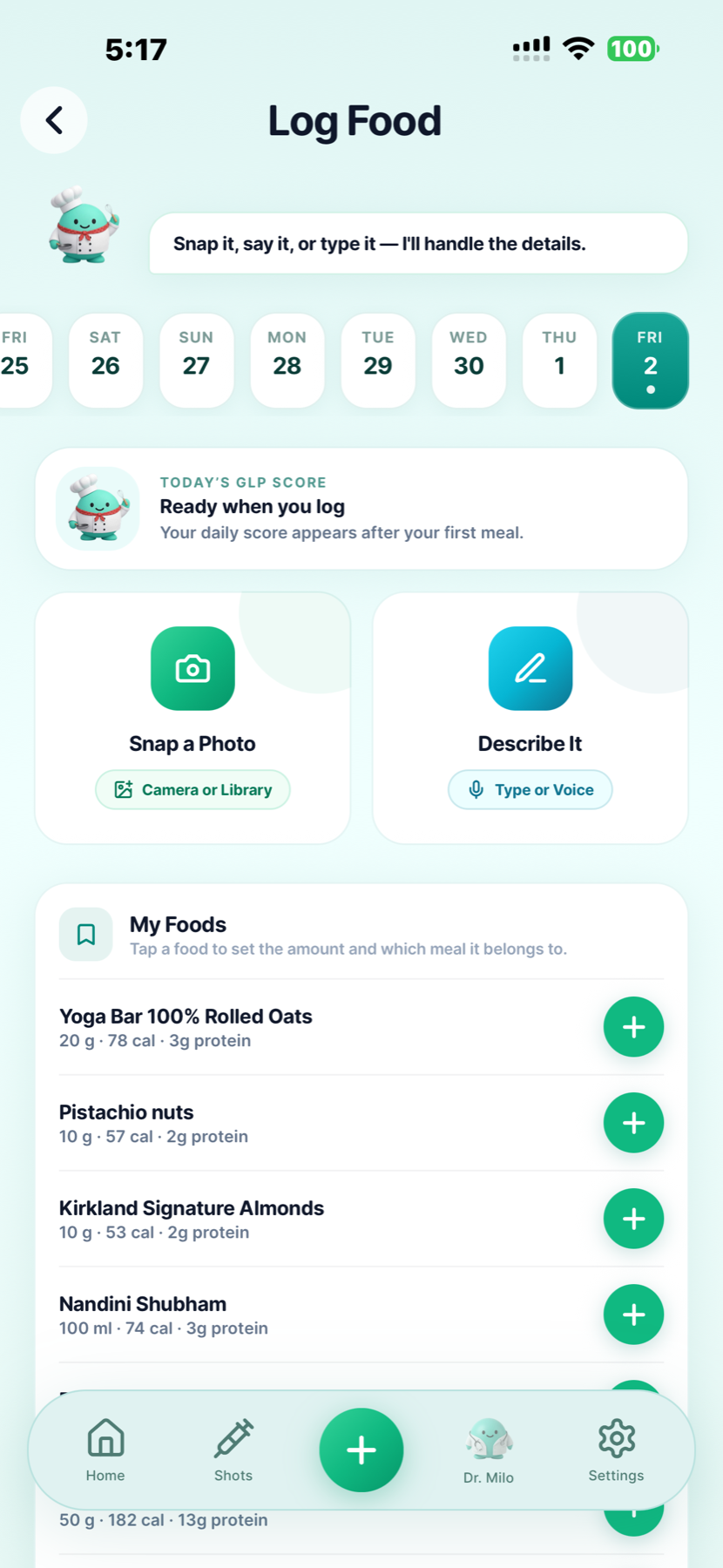
Take a photo, describe a meal or type it in. Review estimated nutrition and keep a record of calories and protein. Food logging sits alongside your other daily check-ins.
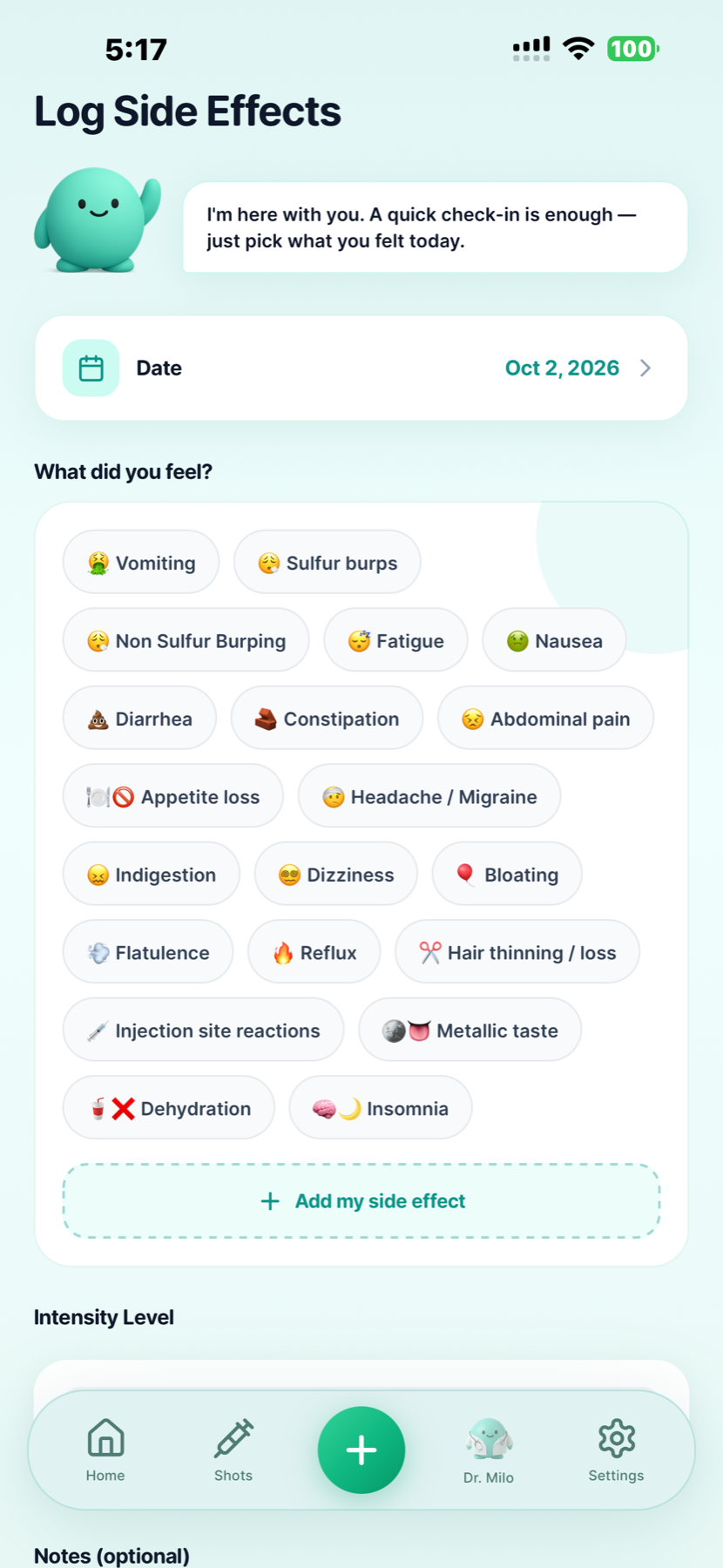
Record what you felt, how intense it was and any notes you want to remember. A symptom log gives you something specific to review when discussing your experience with your care team.
Explore the side effects tracker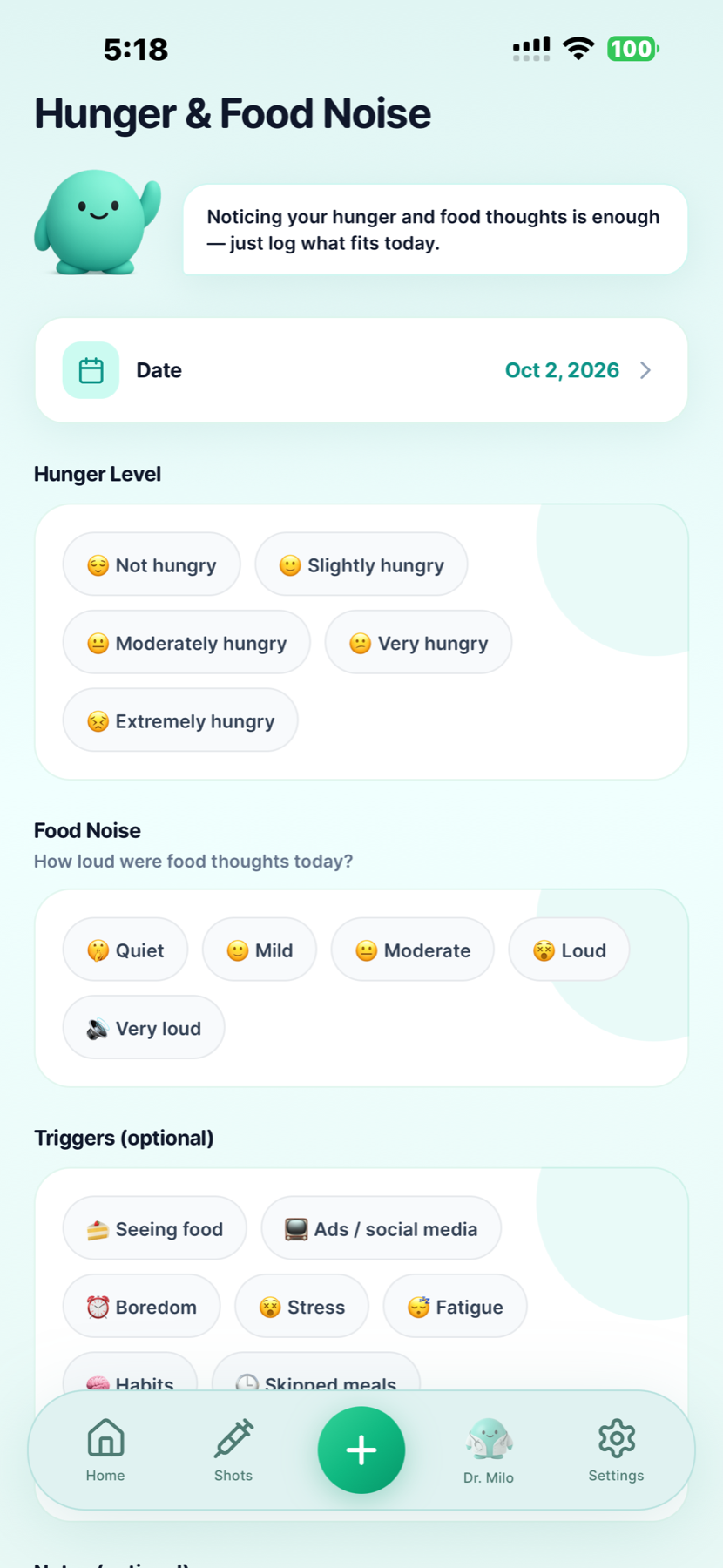
Check in on your hunger and how noticeable food thoughts were that day. Log the experience in your own terms, then look back at how your entries change over time.
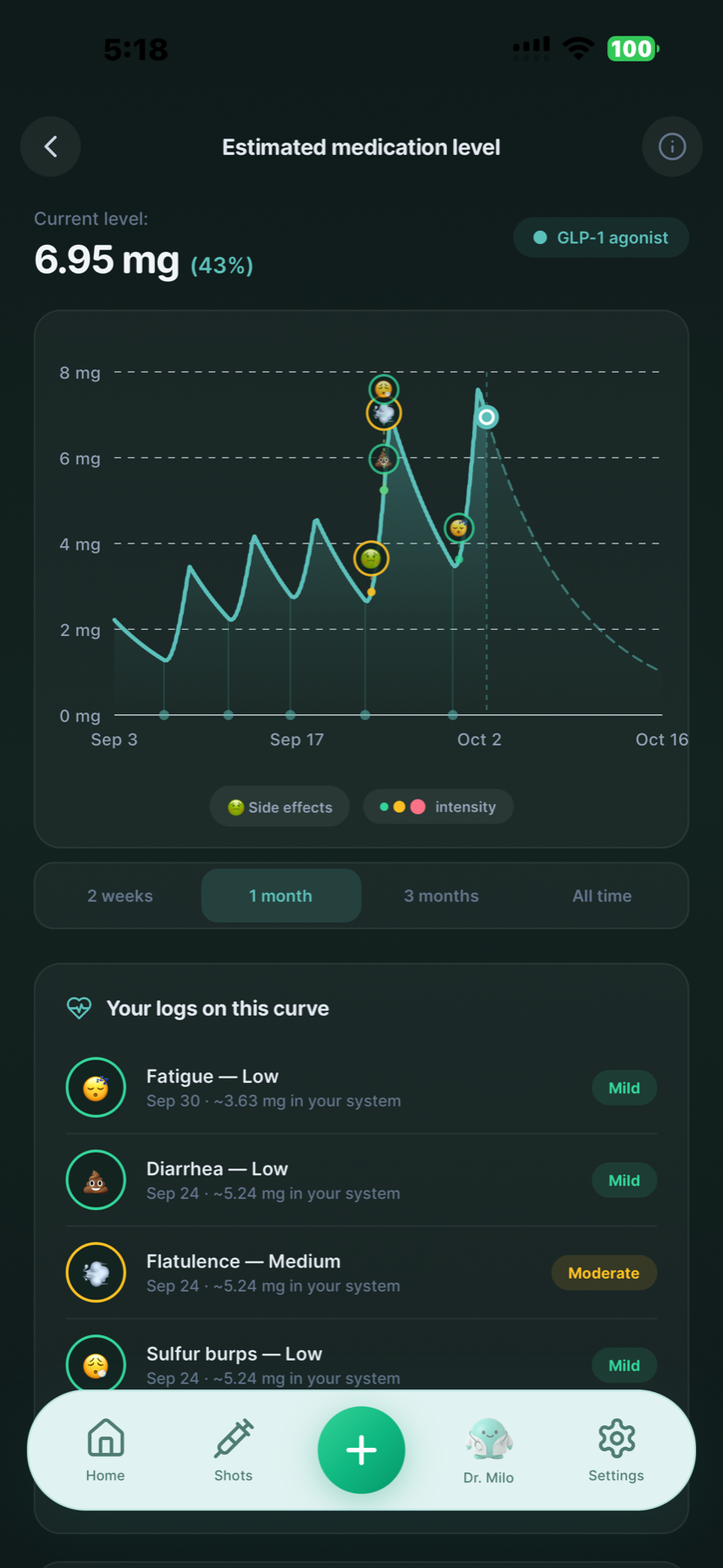
View an estimated medication curve alongside your logged symptoms. The chart is an illustration, not a measurement of the medicine in your body or a guide to changing your dose.
You can also log water, mood and body measurements, use the fasting timer, and review weekly progress reports. See more of the app
Your prescribed routine
Log the medication and dose you have been prescribed. GLP Buddy supports these injection and oral options, among others.
Explore the semaglutide tracker for brand-name, oral and compounded semaglutide records, or the tirzepatide tracker for Mounjaro and Zepbound records. GLP Buddy records your routine; it does not determine which medication, dose or schedule is right for you. Follow the plan from your prescriber or clinical trial team. Retatrutide is investigational, has not been approved by any regulatory agency and is available only through Lilly's clinical trials. Read Lilly's retatrutide information.
Make it part of your day
You do not need a perfect history to make your first entry.
Download GLP Buddy, enter your medication details and choose the prescribed injection or pill routine. Keep your current dose and upcoming schedule visible.
Record an injection, daily pill or weigh-in. Add a meal, water or a brief check-in when it is useful to you. Dated entries are easier to revisit than scattered notes.
Look at your charts and weekly progress report. Bring questions from your logs to your next appointment, including anything you noticed or want to understand.
Choosing a tracking app
Choose an app around the records you want to keep and how you will use them. A useful tracker should make a few everyday questions easier to answer.
Good to know
Track injections or daily pills, weight, meals, water, symptoms, mood, hunger and food noise. GLP Buddy also includes body measurements, estimated medication level charts and weekly progress reports.
GLP Buddy supports daily pill logging for Rybelsus®, Wegovy® tablets, Ozempic® tablets and Foundayo®. It uses pill-specific wording and a seven-day adherence history. Record doses according to the schedule from your prescriber.
Yes. GLP Buddy supports Ozempic®, Mounjaro®, Wegovy® and Zepbound® injections, among other medications. It also supports the Ozempic® and Wegovy® tablet versions. Use the medication details and schedule provided by your prescriber.
Check the official App Store or Google Play listing for current pricing, trial availability and included features. Our tools page lists the currently published browser calculators.
Yes. You can download GLP Buddy for Android from Google Play or for iPhone from the App Store.
Yes. You can add meals with a photo, voice or text and review estimated nutrition, including calories and protein, alongside your injection or pill records.
No. GLP Buddy displays an estimated medication level. It is not a lab result, and the app cannot measure how much medication is in your body. Do not use the chart to decide when or how much medication to take.
Review your injection or pill dose history, symptoms, weight chart and weekly report before your visit. These records can help you explain what you logged and when. Your healthcare provider should guide treatment decisions.
Read the GLP Buddy privacy policy and the data disclosures in your app store for information about collection and use. GLP Buddy is a personal tracking tool and does not provide medical advice, diagnosis or treatment.
Product information: GLP Buddy on the App Store · GLP Buddy on Google Play
Start tracking with GLP Buddy.

Scan to choose your store and download GLP Buddy.